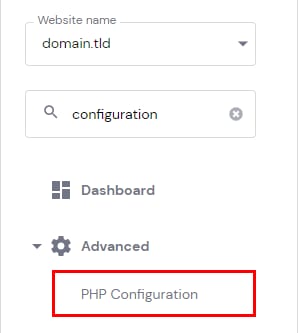
If you do not want PHP errors to be displayed on your website, all you need to do is open Hosting → Manage, search for PHP Configuration on the sidebar and click on it:
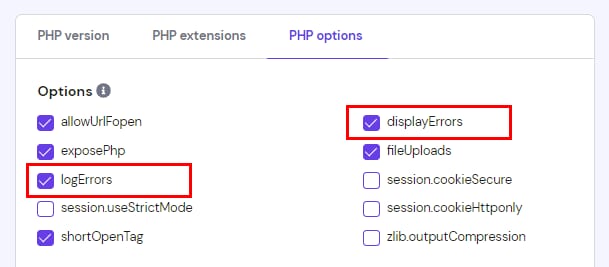
Once there, open the PHP options page and remove a checkmark from displayErrors (display_errors) parameter. If you do not want errors to be logged as well, remove a checkmark from logErrors (log_errors) as well:
Make sure to save changes before leaving the page 😊
If the mentioned parameters were not chosen or errors keep displaying even after disabling them, check additional options for disabling errors.