Hostinger Reach: Setting Up Your Brand Look

Learn more on how to add your brand’s visual and details inside your AI email marketing tool, Hostinger Reach

Updated 2 weeks ago

Hostinger Reach is a beginner-friendly, AI-enhanced email marketing platform fully integrated into the Hostinger ecosystem.

In order to ensure your emails match your brand:

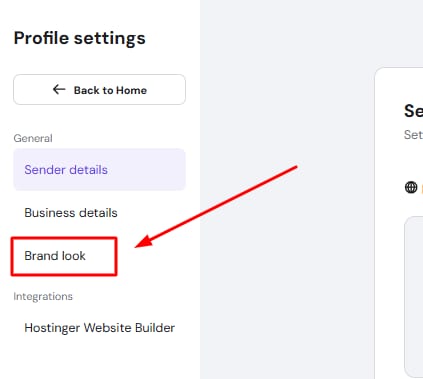
  1. Click on your business name, select Profile settings, and then choose Brand look in the page navigation.
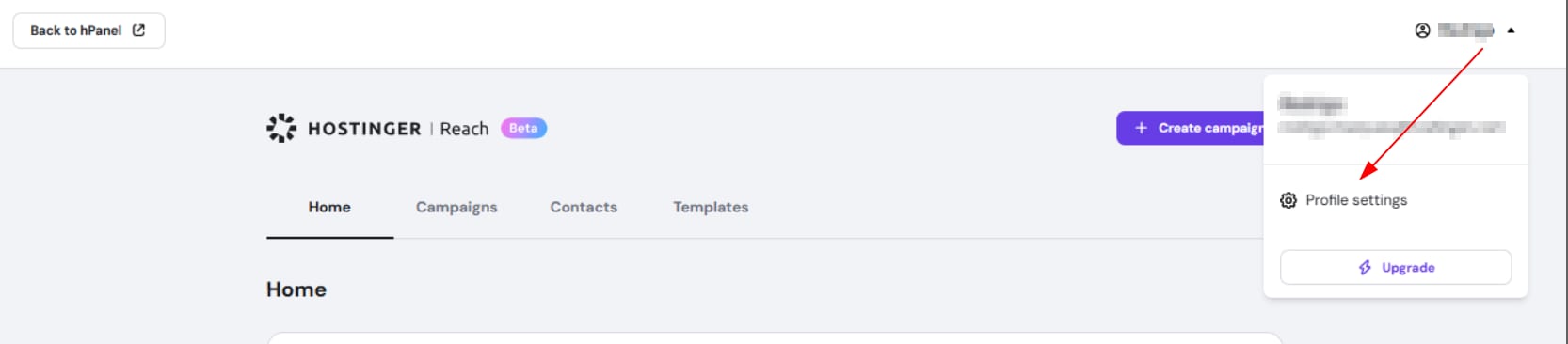
    Hostinger Reach profile menu with Profile settings highlighted in the dropdown

    Hostinger Reach profile settings with Brand look highlighted in the menu

  2. Upload your logo by clicking on “Browse” button
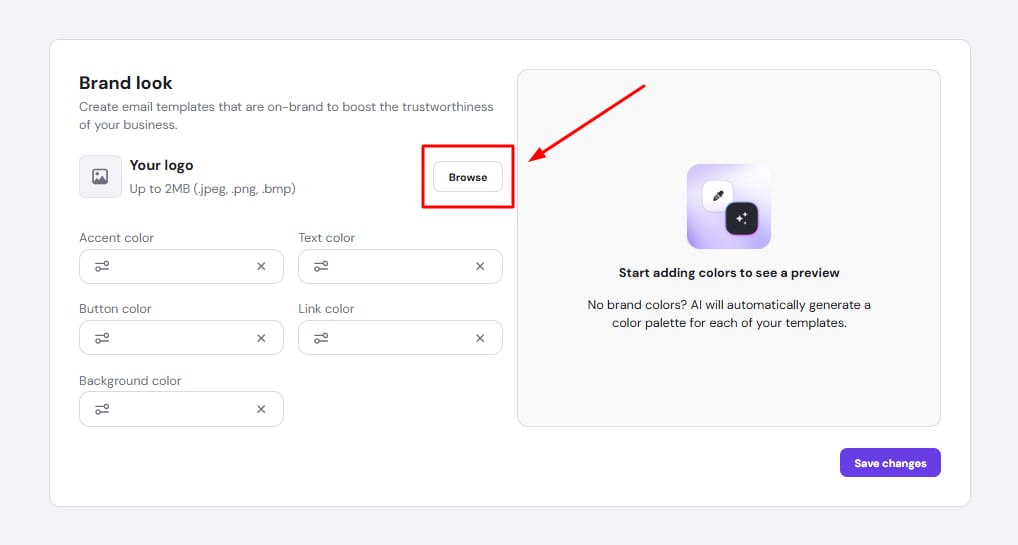
    Brand look settings with the Browse button highlighted for uploading a logo

  3. Choose brand colors that match your website or marketing assets.
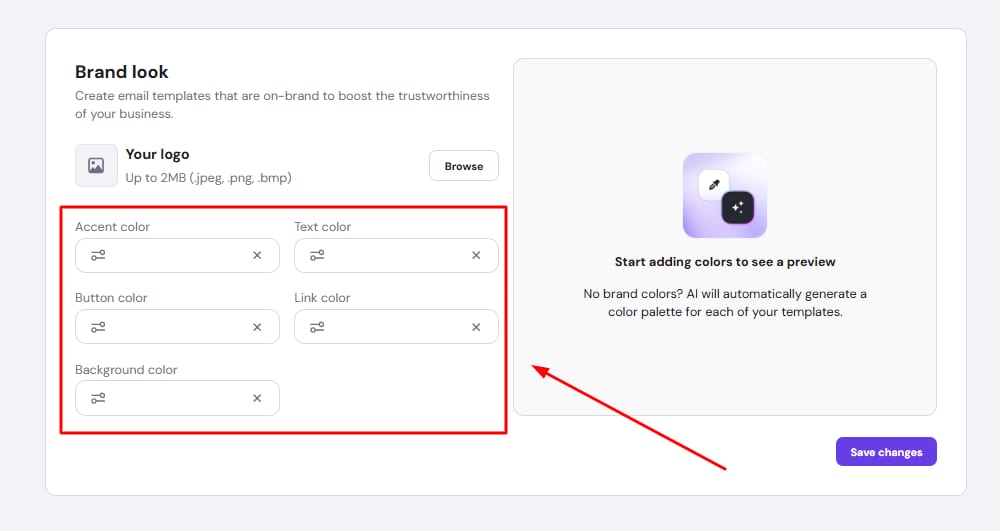
    Hostinger Reach brand look settings with accent, text, button, link, and background color fields highlighted

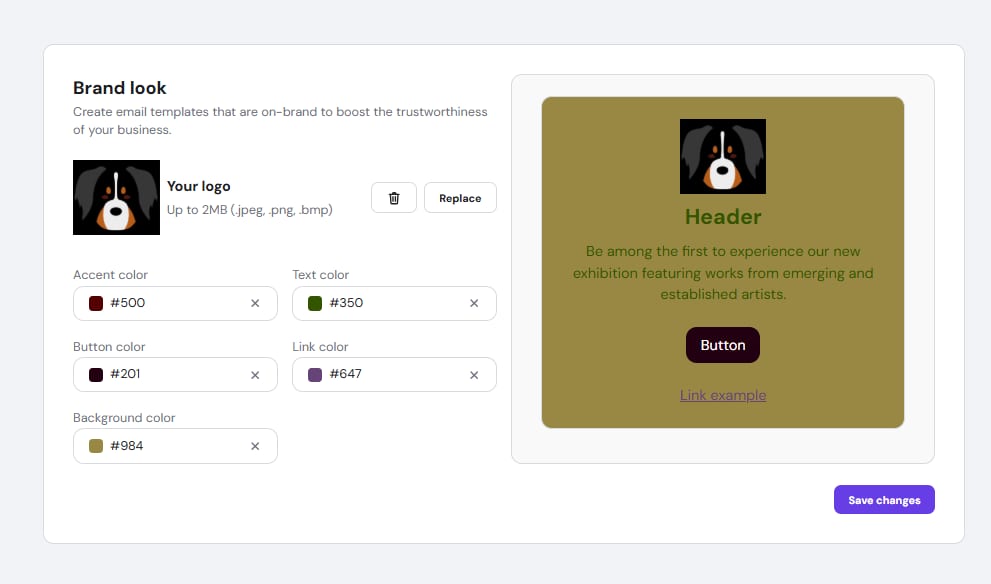
  4. Preview and adjust if needed.

    Hostinger Reach brand look settings with logo upload, color fields, and email preview

  5. Click Save changes, then click on Back to home.

You can find all the step-by-step instructions on how to get started with Reach here.