In order to have more credits and have more resources to address your Horizons tool, we recommend you to upgrade your Horizons plan 🚀
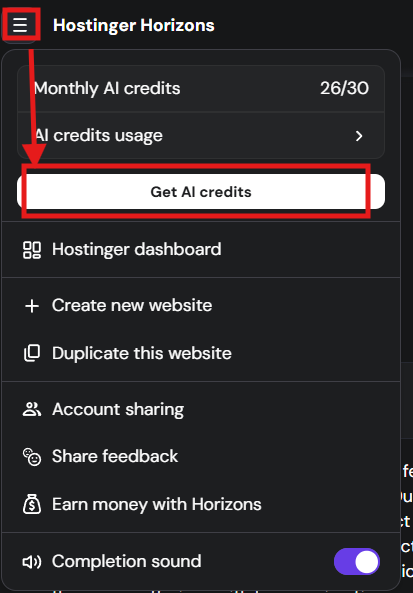
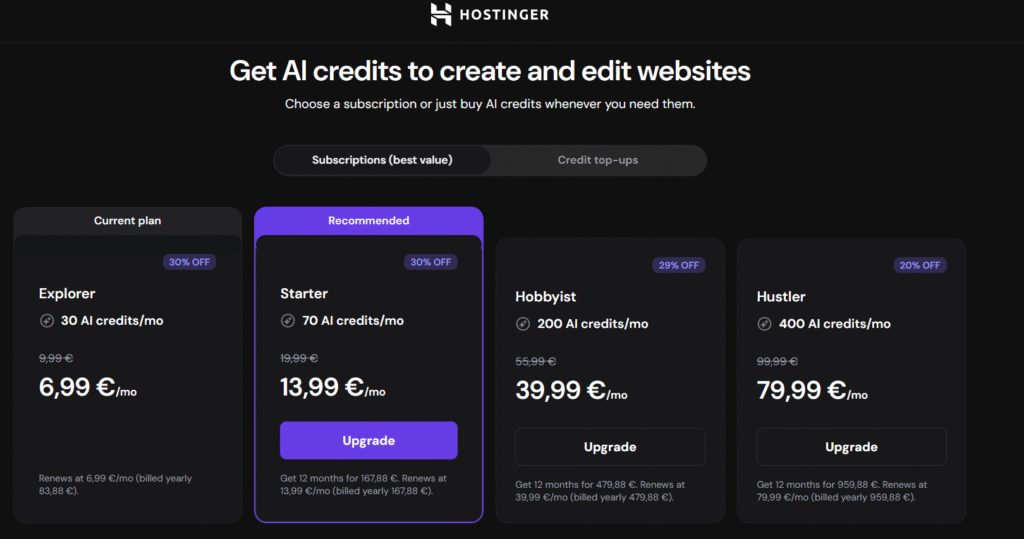
You are able to upgrade and purchase a plan as well as confirm the upgrade pricing of the Horizons plan by clicking on the Horizons menu and selecting “Get AI credits”, as below:
Example:
- You buy Starter for $10, use half the credits, and upgrade to Hustler for $20 → you get a $5 credit for unused credits and pay $15.
- You buy Starter for $10, use all credits, and upgrade to Hustler for $20 → you pay the full $20, receiving all creditsimmediately.
For annual plans, unused monthly credits do not carry over to the next month — once the month passes, unused credits expire and are treated as “used”.
Currently, you are unable to downgrade a Horizons plan. However our product team is aware of this and added this feature to our future product plans.
Reaching credit limits
Before deciding to upgrade or top up, check your current usage:
1. Open your Horizons project.
2. Click the menu (top navigation).
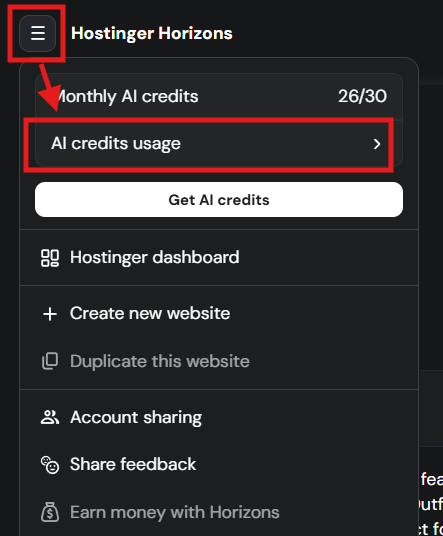
3. Select AI Credits Usage.
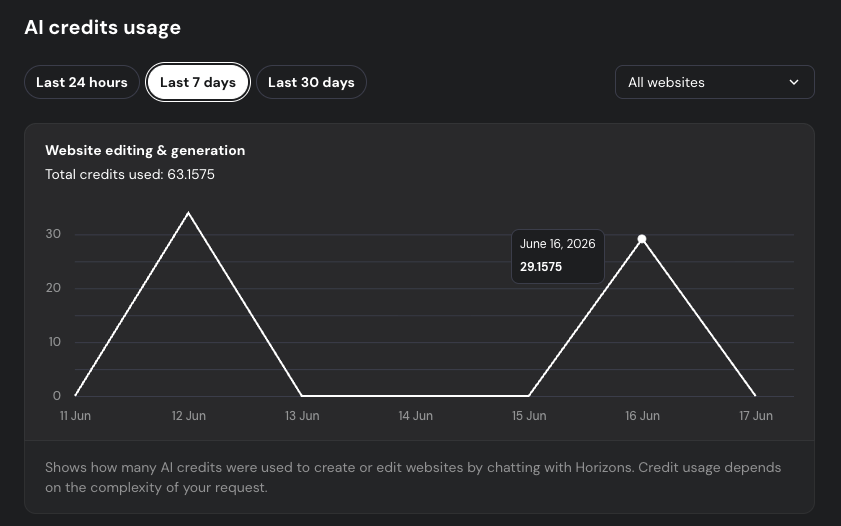
A modal will open showing your monthly credit balance, next reset date, and a usage chart broken down by the last 24h / 7 days / 30 days. This helps you decide whether upgrading or purchasing a top-up is the right move.
If you reached your plan messages limit, and you need more credits to continue working on your projects, there would be three ways to proceed.
- You can upgrade it in order to get more credits, having in mind that the already used credits would not be counted on the upgrade, only the credits difference.
- You will also have the option to purchase additional credits without upgrading your plan.


- Or you can wait for your Horizons subscription renewal to get your credits added back and be able to continue working on your project.