Hostinger’s CDN advanced security levels are accessible to Web Hosting Business plan or higher. Consider upgrading to a higher plan to unlock advanced security levels 🚀
Security levels will help filter and block potential threats, manage traffic, and ensure that only legitimate requests reach the website, enhancing performance and security compliance.
The default security level is set to Medium. Security levels vary depending on the threat score, with the exceptions of the ‘Off’ and ‘I’m Under Attack!’ settings, which allow you to adjust the level based on the potential threat.
To change your Hostinger CDN’s level:
-
Login to your hPanel
-
Click the Websites tab and then click Dashboard of the desired website
-
Go to Performance tab then CDN
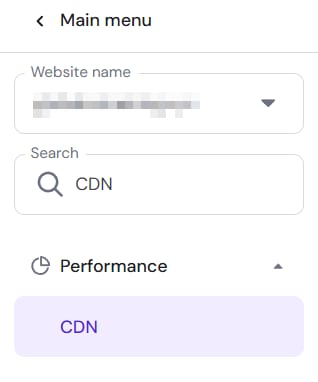
-
Make sure your CDN is active. If not, click on Enable. Then go to Manage to access security levels.

The available levels are the following:
|
Security Level |
Description |
|
Essentially off |
Only challenges IP addresses with the worst reputation. |
|
Low |
Challenges only threatening visitors. |
|
Medium |
Challenges both threatening and moderately threatening visitors. |
|
High |
Challenges all visitors that exhibited threatening behavior within the last 14 days. |
|
I’m Under Attack! |
Only for use if your website is currently under a DDoS attack. |
Setting a higher Security Level will result in challenging even low-risk requests, while a lower Security Level will focus on challenging only high-risk requests.
NOTE:
-
Only activate I’m Under Attack mode if your website is experiencing a DDoS attack. Be aware that this mode might interfere with certain functions on your website, like API traffic.