Hostinger Agency Hosting Plans: How to Update the WordPress Version

Updating WordPress version on hPanel with Agency Hosting Plans

Updated 1 month ago

You can see which WordPress version is enabled for your website when you enter your website’s dashboard.

If the version is outdated, you will see a button “Update“:
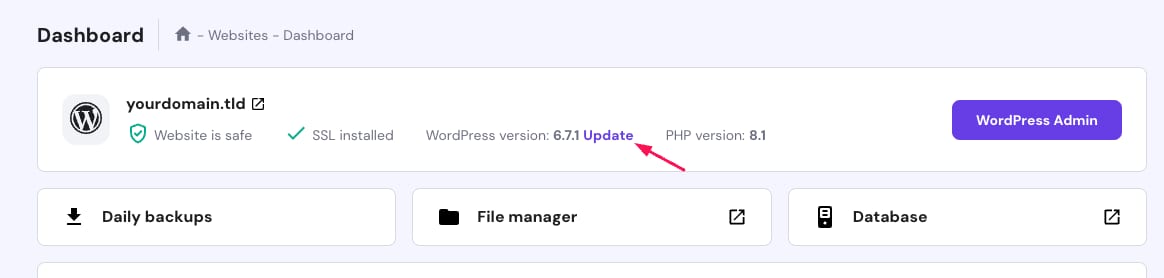
Hostinger dashboard with WordPress version 6.7.1 and the Update link highlighted

Once you click it, you will be able to select the newest version:
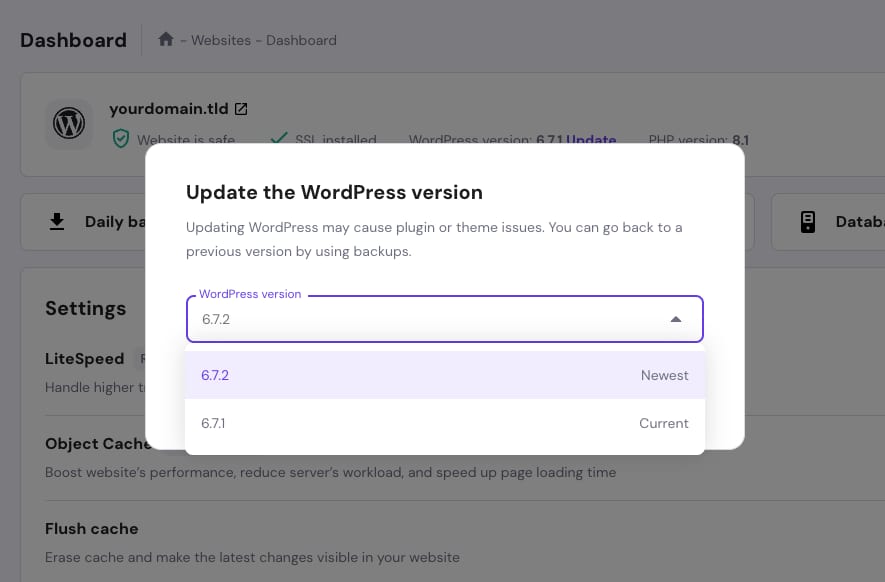
WordPress version dropdown showing 6.7.2 newest and 6.7.1 current

If your website has the newest WordPress version, you will see a green checkmark next to it:
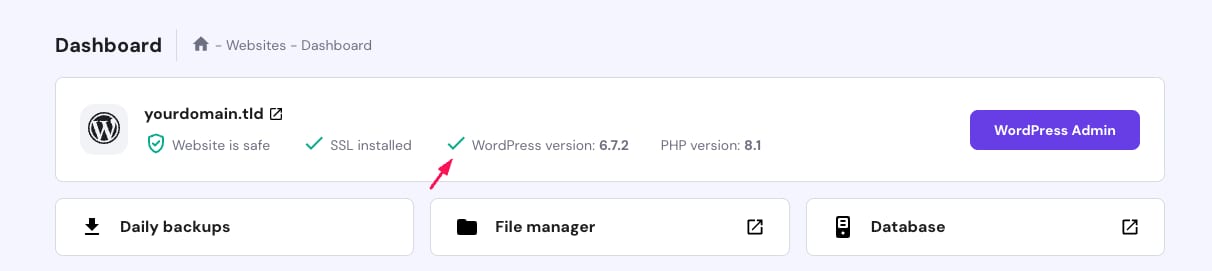
Hostinger dashboard showing WordPress version 6.7.2 on a website card