Social media icons link to the social media profiles of individuals or organizations associated with the website. This allows visitors to connect, follow, and interact with these individuals or organizations on social media, fostering a sense of community and facilitating further engagement outside the website itself.
Insert links to your social media profiles, and we’ll generate the icons for you automatically! For instance, if you insert a link to your LinkedIn profile, the LinkedIn icon will be displayed automatically 💡
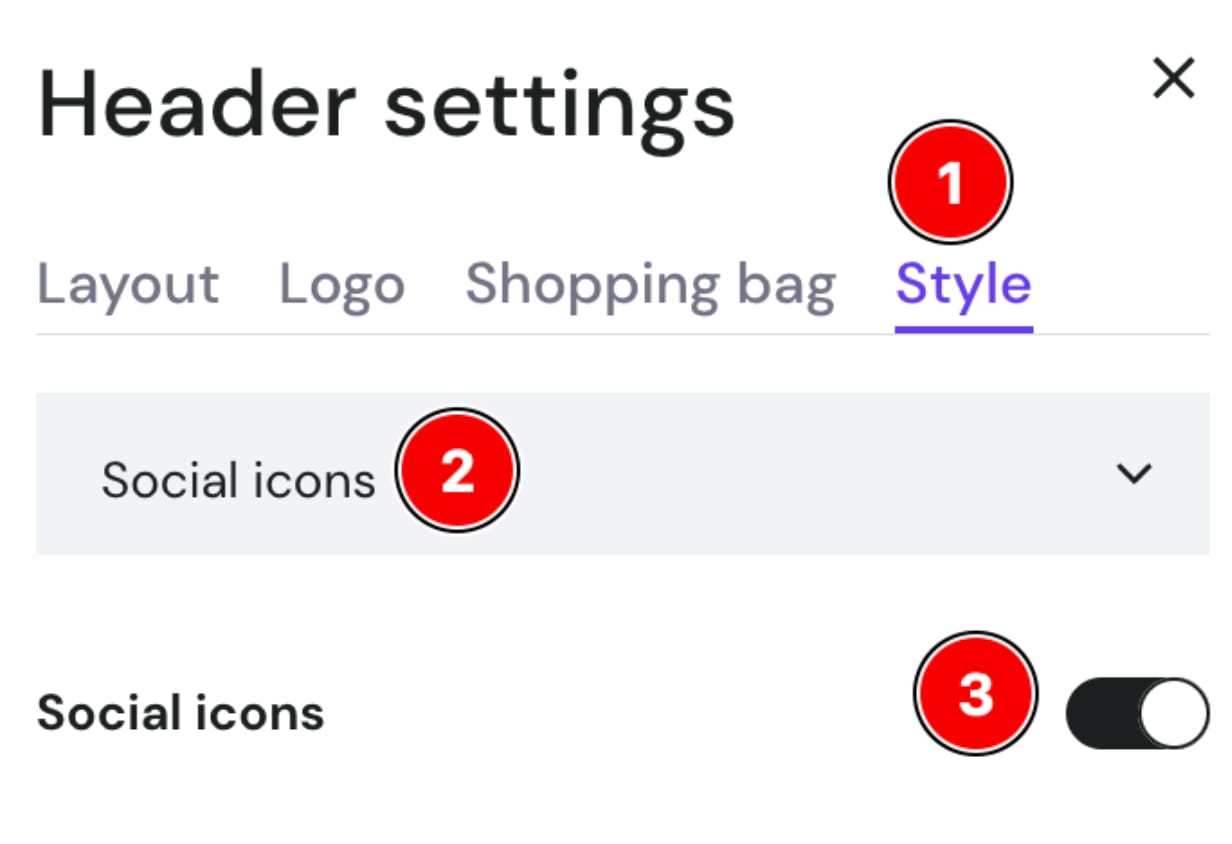
To add a social media icon to your website’s header, click on the header section and select Edit header:

Open the Style tab, select Social icons from the dropdown, and toggle the button to enable them:
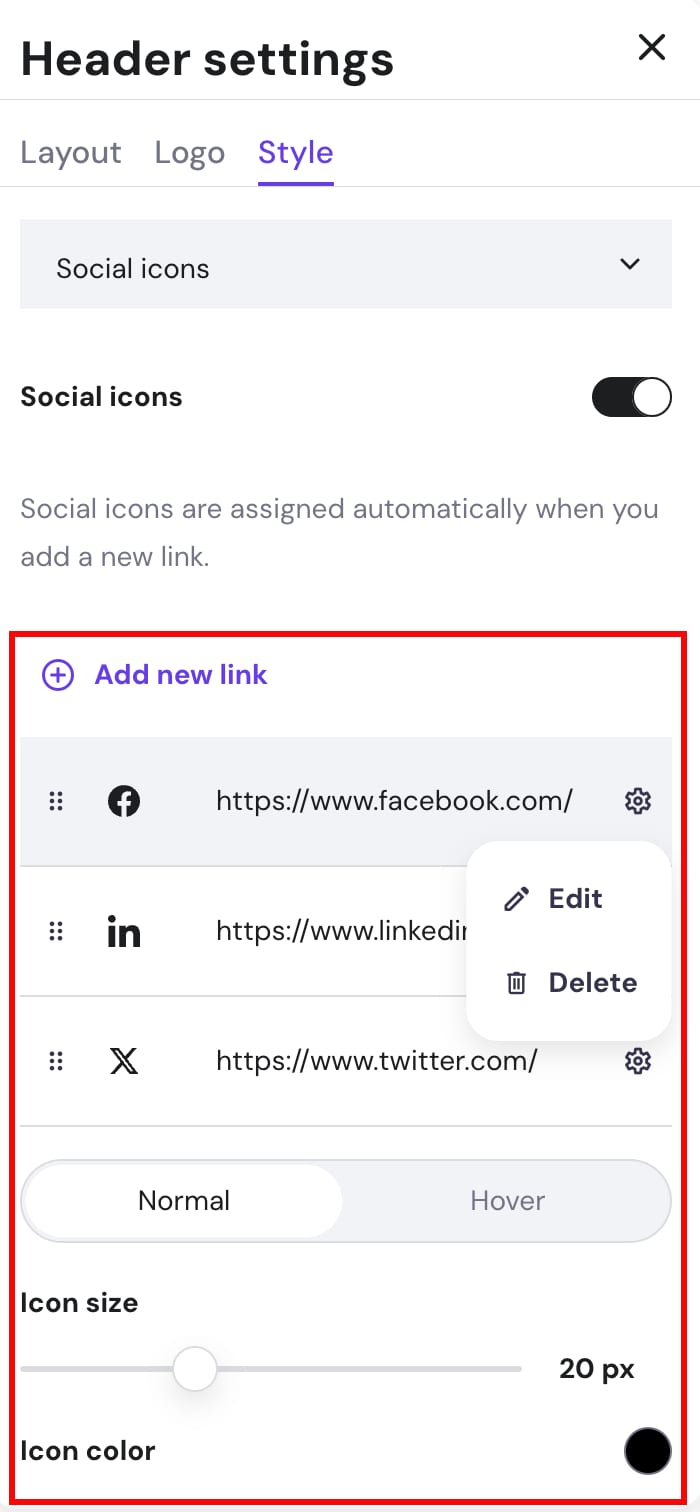
Now, add the links to your social media platforms. You may also change the icon size and color:
NOTES
-
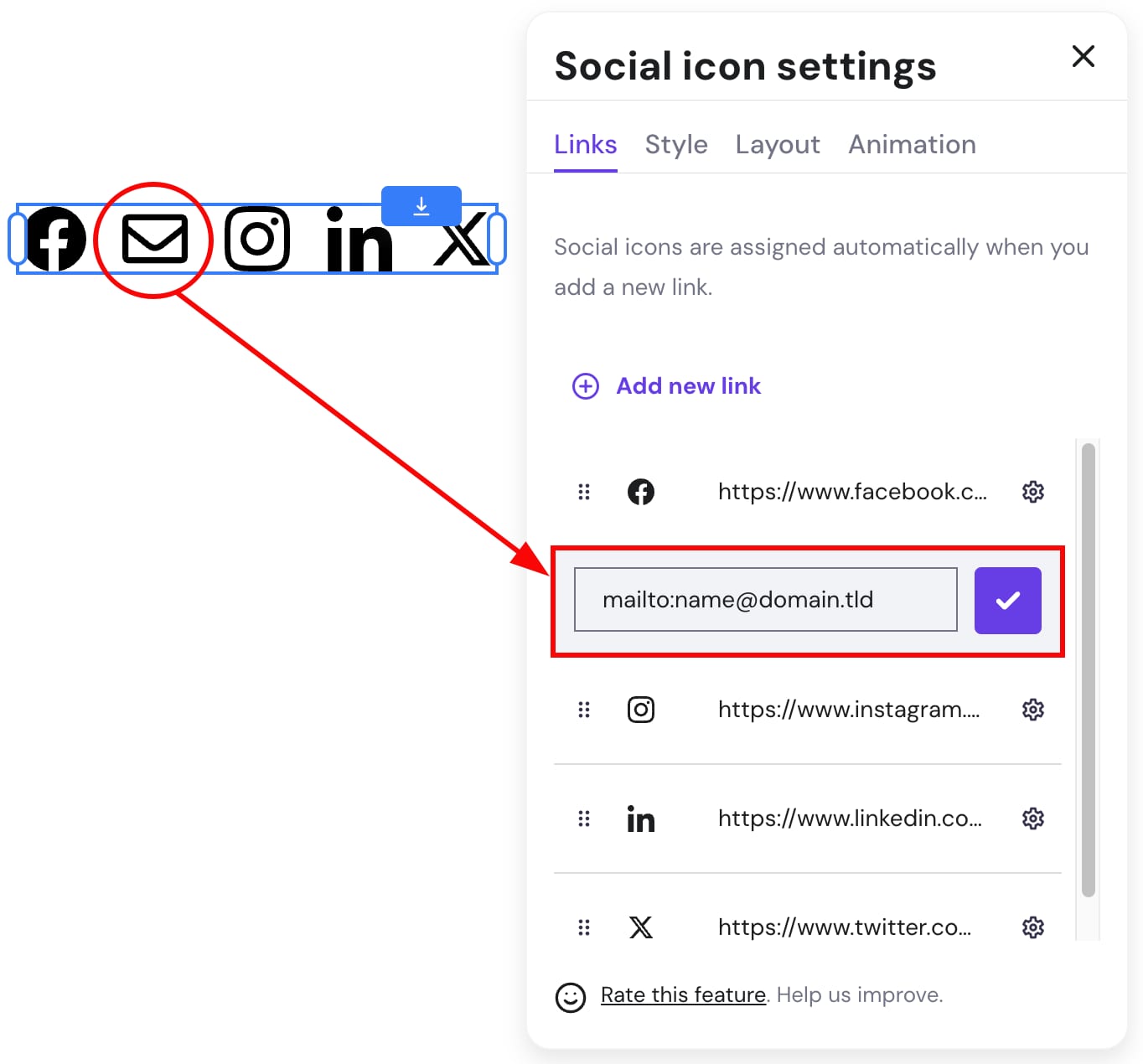
To add an email icon, insert your email address:
-
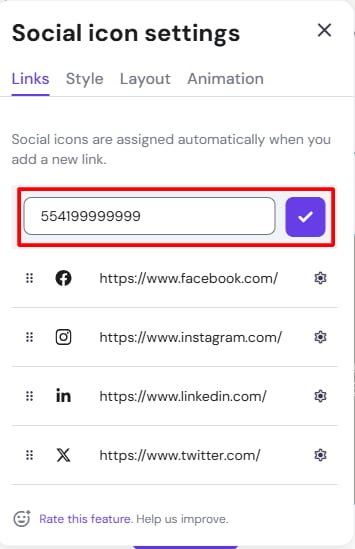
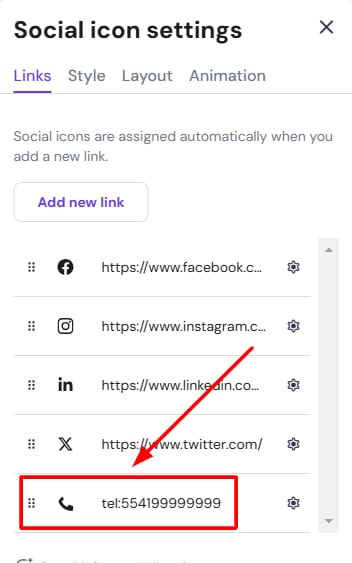
To add a phone icon, insert the desire phone number without any symbols, as below:
-
If the link isn’t recognized, the icon won’t be automatically generated, and you’ll see a standard link symbol 🔗
-
Contact us and share the link you were trying to add: we’ll make sure to include the necessary icon into our database as soon as possible
-
There may exist various link formats for the same social media platform, so the more formats you encounter, the better
-