How to choose a web hosting plan
Jul 13, 2026
/
Hasna A. & Saulius L.
/
13 min Read
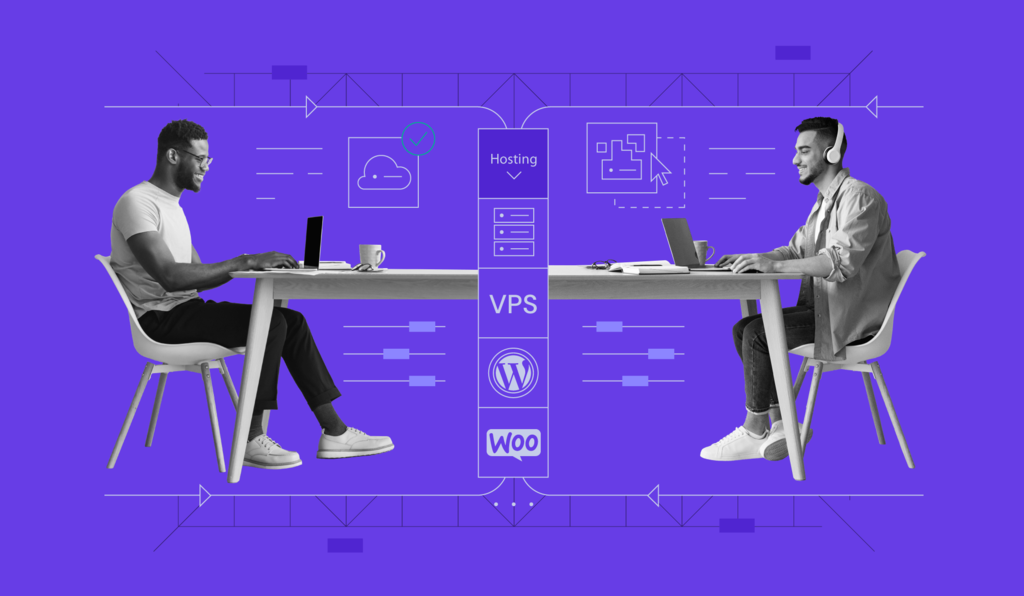
Choosing a web hosting plan means matching your website’s type, expected traffic, and budget to the hosting type, performance, security, and support level it needs.
The right choice also depends on your technical skill level, how much room you need to scale, and which hosting type fits your project: shared, managed WordPress, VPS, or dedicated.
To pick a plan with confidence:
- Identify your website type and expected traffic.
- Set a realistic budget.
- Match your technical skill level to a hosting type.
- Compare technical features like performance, security, and support.
- Check pricing details beyond the introductory rate.
- Match your project to a specific Hostinger plan.
What should you consider before choosing a web hosting plan?
Choosing a web hosting plan starts with your website’s needs, not the lowest price you can find. A plan that looks cheap but can’t handle your traffic or technical requirements ends up costing more in migration time and downtime later.
Five factors shape which plan fits:
- Website type. A portfolio, a blog, and an online store place very different demands on storage, bandwidth, and database performance.
- Expected traffic. A site pulling in a few hundred visitors a month has nothing in common, resource-wise, with one pulling in tens of thousands.
- Budget. It usually rules a few tiers in or out before you even look at specs.
- Technical skill level. Beginners tend to do better with a managed solution that handles maintenance in the background, while developers often want full root access instead.
- Preferred website-building method. Some people want a drag-and-drop builder, others need WordPress specifically, and some would rather describe a site in plain language and let AI build it.
It’s easy to assume “hosting” only means one thing, but it doesn’t. You can build and host a site through a no-code website builder, WordPress paired with managed hosting, a fully managed WooCommerce store, a self-managed VPS, or an AI-powered app builder like Hostinger Horizons.
Which one makes sense depends entirely on your website type, expected traffic, budget, technical skill level, and preferred building method. There’s no universally “best” option, only the one that fits your project. If any of this terminology is new, it helps to start with what web hosting is before comparing specific plan types.
Which website-building method do you need?
The website-building method you need depends on what you’re building and how much control you want over the code, since each method pairs naturally with a different type of hosting. Each option suits a different kind of project:
- Website builder. Suits beginners, portfolios, business sites, and simple online stores that don’t need custom code. You’re working inside a visual editor, not a codebase.
- WordPress hosting. Suits anyone building on WordPress, whether that’s a blog or a fairly complex business site, since its plugin ecosystem covers almost anything you’d want to add later.
- WooCommerce hosting. WordPress hosting with commerce built in. It suits WordPress users building an online store with product catalogs, payments, and shipping.
- AI app builder. Lets you build a website or web app using natural language prompts instead of writing code, suited to people who know what they want but don’t want to touch a code editor to get there.
- VPS. Suits users who need full server control, a custom software stack, or root access that a managed platform doesn’t allow.
Once you know which building method fits your project, matching it to a hosting type becomes much easier.
Which type of web hosting plan do you need?
Amongst the many types of web hosting, the right one depends on your traffic, technical requirements, budget, control needs, and website platform.
The hosting industry breaks down into four main categories: shared hosting, managed WordPress hosting, VPS hosting, and dedicated hosting. Each covers a different combination of those factors.
Shared hosting
Shared hosting means multiple websites run on the same physical server and share its resources. It’s usually the most affordable and beginner-friendly hosting type on the market, largely because you’re not paying for resources dedicated solely to you.
It suits:
- Personal blogs
- Portfolios
- Small business websites
- Low-to-moderate traffic websites
This type of hosting might prove insufficient once your traffic exceeds what the shared resources can handle, or when load times climb because other sites on the same server are busy. That’s usually the signal to move up, though the next step doesn’t have to be VPS right away. A plan with dedicated resources is often enough.
Managed WordPress hosting
Managed WordPress hosting is a type of managed web hosting that is optimized specifically for WordPress websites. The provider usually handles:
- Server maintenance.
- WordPress updates.
- Security.
- Caching.
- Performance optimization.
It suits WordPress users who want the platform’s flexibility without having to become a server administrator on the side. You’ll know it’s time to upgrade once your WordPress site needs more resources than the plan allows, a staging environment to test changes safely, or more advanced performance tools.
VPS hosting
VPS hosting gives you a virtual private server: dedicated resources carved out inside a shared physical server. That’s a meaningfully different arrangement from shared hosting, even though the underlying hardware might be the same.
It offers more control, more scalability, and more isolation from other users’ websites, which makes it a natural fit for:
- Growing websites.
- High-traffic blogs.
- Custom websites.
- Developers.
- Users who need root access.
The catch is that VPS demands more technical knowledge than shared or managed hosting. You’re responsible for configuring and maintaining the server yourself rather than relying on the provider to do it.
Dedicated hosting
Dedicated hosting gives a single user an entire physical server, with no other websites sharing the hardware. It’s usually used for:
- Enterprise websites.
- Large ecommerce platforms.
- High-traffic applications.
- Projects that need maximum control and performance.
Dedicated hosting is also the most expensive and technically demanding option here by a wide margin. Most projects that think they need a dedicated server actually get the same performance from cloud hosting or VPS hosting, at a fraction of the cost and complexity, so it makes sense to rule those out before committing to a full server.
| Hosting type | Best for | Technical skill needed | Main advantage | Main limitation | When to upgrade |
| Shared hosting | Blogs, portfolios, small business sites | Beginner | Affordable, easy to set up | Shared resources limit performance under high traffic | Traffic grows or the site slows down |
| Managed WordPress hosting | WordPress websites of any size | Beginner to intermediate | Provider handles maintenance and optimization | Limited to WordPress-based sites | Site needs staging, more resources, or advanced tools |
| VPS hosting | Growing sites, developers, custom projects | Advanced | Full control and dedicated resources | Requires server management knowledge | Project needs root access or custom software |
| Dedicated hosting | Enterprise sites, large ecommerce platforms | Advanced | Maximum performance and control | Highest cost and complexity | Rarely an entry point, since cloud or VPS usually covers the same need first |
What technical features should you compare?
The technical features worth comparing come down to a handful that determine whether a specific plan can actually support your site, beyond hosting type alone. Storage, speed, uptime, security, backups, and support are the ones worth checking line by line.
Storage and bandwidth
Storage is the ceiling on how many files, images, databases, and email accounts your website can hold. Bandwidth caps the amount of traffic and the number of page views your site can serve before it slows down or drops requests entirely.
A photography portfolio with hundreds of high-resolution images requires a much larger storage allowance than a five-page brochure site, even if both receive similar traffic.
On Hostinger’s own plans, that ceiling ranges from 20 GB of SSD storage on Premium up to 100 GB of NVMe storage on Cloud Startup, with mailbox allowances scaling the same way, from 2 to 10 per website.
Speed and server performance
Site speed comes down to several features working together:
- NVMe storage.
- LiteSpeed Web Server.
- Caching.
- CPU and RAM allocation.
- PHP workers.
- Server location.
A plan that’s short on any one of these can bottleneck the rest. That’s why it’s worth checking all of them together against server performance metrics, rather than picking one number and assuming it tells the whole story.
Hostinger’s own plans illustrate the range: Premium runs on 1 CPU core, 2 GB of RAM, and 40 PHP workers, while Cloud Startup steps up to 4 cores, 4 GB of RAM, and 100 PHP workers. That difference shows up directly in how many visitors a plan can serve at once.
Uptime and reliability
Uptime measures how consistently your site stays reachable, and 99.9% has become the benchmark to look for in any hosting plan. Anything meaningfully below that starts to show up as real, noticeable downtime over the course of a year.
Every minute your site is down is a minute visitors can’t reach you, search engines can’t crawl you, and any sale or lead in progress disappears.
Monitoring uptime and downtime yourself once your site is live is worth the setup time, if only so you’re not relying entirely on your host’s word for it.
Security features
Web hosting security serves as the barrier between your site and the most common attacks it’ll face. At a minimum, look for:
- SSL certificates.
- Firewalls.
- Malware scanning.
- Automatic updates.
- Account isolation between users on shared servers.
- WHOIS privacy protection, where relevant to your domain registration.
An SSL certificate is usually the first thing to check, since it encrypts data moving between your site and its visitors and affects how browsers flag your site as trustworthy.
An SSL certificate encrypts data in transit between your site and its visitors, prevents browsers from flagging your site as “not secure,” and serves as a ranking signal that Google uses to assess trustworthiness. Understanding the full scope of SSL benefits helps you see why it’s worth confirming it’s active before your site goes live, not after.
Most hosts include one for free. Still, it’s worth knowing how to get an SSL certificate, set it up, and configure it correctly rather than assuming it happens automatically, especially if your plan covers multiple domains.
Backups
A backup is what saves you when something goes wrong, whether that’s a bad plugin update, a hacked site, or your own mistake.
Weekly backups give you a snapshot once a week, which is fine for a site that rarely changes. Daily backups give you a much more recent restore point, which matters more for anything that constantly updates content, inventory, or user data.
On Hostinger, Premium hosting includes weekly backups only, while the Business and Cloud Startup plans add daily and on-demand backups, with daily snapshots retained for 7 days and weekly snapshots for 6 weeks.
Once your site is live, you’ll also want to know how to download a website backup yourself rather than relying entirely on the host’s automatic backups.
Customer support
Support quality matters most in the moment something actually breaks, which makes it a harder feature to judge upfront than storage or CPU. Look for 24/7 availability across live chat, email, or ticket support at a minimum.
The type of support you get also depends on the hosting type itself. Managed hosting plans typically include full support for all hosting-related tasks, since the provider manages the server on your behalf.
VPS support works differently. Because you have complete access to your own server, support is generally limited to virtual machine management rather than the operating system or software you’ve installed yourself.
How much should you pay for web hosting?
Before comparing plans on price alone, it helps to understand how web hosting costs break down. Since the number on the pricing page rarely reflects what you’ll actually pay after renewal, it’s worth checking:
- The introductory price and what it jumps to at renewal.
- Billing cycle length: monthly, annual, or multi-year.
- Whether a free domain and mailbox are included.
- If SSL and website migration are included.
- How much backup coverage comes with the plan.
The first term’s price is often well below the renewal rate, and longer billing terms usually lower the effective monthly rate. What’s bundled in can shift the plan’s real value well beyond the sticker price.
A cheaper plan is more than enough if your site is small, traffic is low to moderate, and you don’t need advanced features like staging or dedicated resources.
Paying more for a business, cloud, or VPS plan starts to make sense once your site outgrows shared resources, needs daily backups, or requires root-level control. At that point, the cheaper plan usually ends up costing more in workarounds than the upgrade would have.
Hostinger hosting plans compared
Hostinger builds its hosting products around different project needs rather than a one-size-fits-all approach: Web hosting, Website Builder, Horizons, Managed hosting for WordPress, Managed WooCommerce hosting, Cloud hosting, VPS hosting, and Game server hosting each target different website types, traffic, budgets, technical skills, and building methods in different combinations.
| Hostinger product | Best for | Technical skill needed | Upgrade path |
| Web hosting | Beginners and smaller projects | Beginner | Business or Cloud Startup for more resources |
| Website Builder | No-code websites and portfolios | Beginner | A higher web hosting or cloud plan for more resources and features, since the builder itself doesn’t have its own tiers |
| Horizons | AI-built websites and web apps | Beginner | A higher Horizons credit plan, from Starter through Hustler |
| Managed hosting for WordPress | WordPress websites of any size | Beginner to intermediate | Higher tier for more resources, staging, or scale |
| Managed WooCommerce hosting | WordPress-based online stores | Beginner to intermediate | Business + AI to Cloud Startup + AI, then Hostinger’s broader cloud hosting tiers |
| Cloud hosting | Growing sites and traffic spikes | Intermediate | Cloud Startup through Enterprise, then VPS for full control |
| VPS hosting | Root access and custom server control | Advanced | Higher VPS tier for more resources |
| Game hosting | Multiplayer game servers | Beginner to intermediate | Game Panel 1 through Game Panel 4, or a standard VPS for more control |
Hostinger web hosting
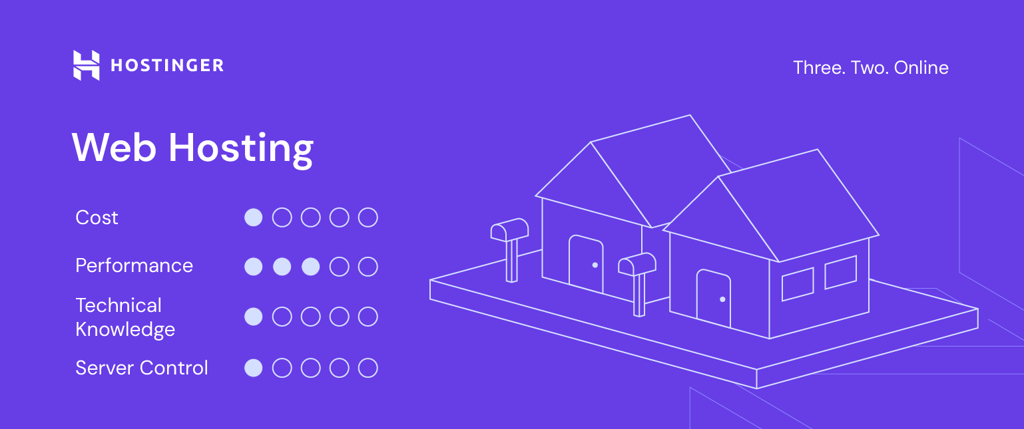
Premium, Business, and Cloud Startup remain the current lineup, in that order, from cheapest to most capable.
Premium serves as the entry point for smaller projects, and Business offers the setup that suits most small-business web hosting needs before you need more traffic or storage. When your project grows beyond that, Cloud Startup is the natural next step.
- Premium. Up to 3 websites, 20 GB of SSD storage, and 2 mailboxes per website, with 1 CPU core, 2 GB of RAM, 40 PHP workers, and 400,000 inodes. Weekly backups only.
- Business. Up to 50 websites, 50 GB of NVMe storage, and 5 mailboxes per website, with 2 CPU cores, 3 GB of RAM, 60 PHP workers, and 600,000 inodes. Adds daily and on-demand backups, and a free CDN.
- Cloud Startup. Up to 100 websites, 100 GB of NVMe storage, and 10 mailboxes per website, with 4 CPU cores, 4 GB of RAM, 100 PHP workers, and 2,000,000 inodes. Adds a dedicated IP address, and 24/7 priority support.

Hostinger Website Builder
Hostinger Website Builder suits beginners who want a working website without having to touch WordPress or write any code, since the entire process is handled through a visual editor. It fits:
- Portfolios.
- Business websites.
- Simple online stores.
- Landing pages.
Beyond the visual editor, the Website Builder includes a set of AI tools worth knowing about before you compare it against WordPress: an AI Website Builder that generates a full site from a description, an AI Writer for blog posts and product copy, an AI Blog Generator, an AI SEO Assistant, an AI Image Generator, and an AI Logo Maker.
For online stores specifically, it supports up to 1,000 products, more than 100 payment platforms, and 0% transaction fees, though full store management requires the Business plan or higher.
Hostinger Horizons
Horizons takes a different approach: instead of dragging elements into place or writing code, you describe what you want to build in plain language, in any of more than 80 supported languages, and Horizons generates a full-stack web application from that description.
It sits apart from both traditional hosting and the Website Builder as a category in its own right. While Website Builder covers traditional sites and stores through a visual editor, Horizons is built for custom web apps and interactive tools that need real functionality behind them, including built-in online store integration for ecommerce.
Plans scale based on monthly AI credits rather than server resources, running from Explorer up through Hustler.
Hostinger managed hosting for WordPress
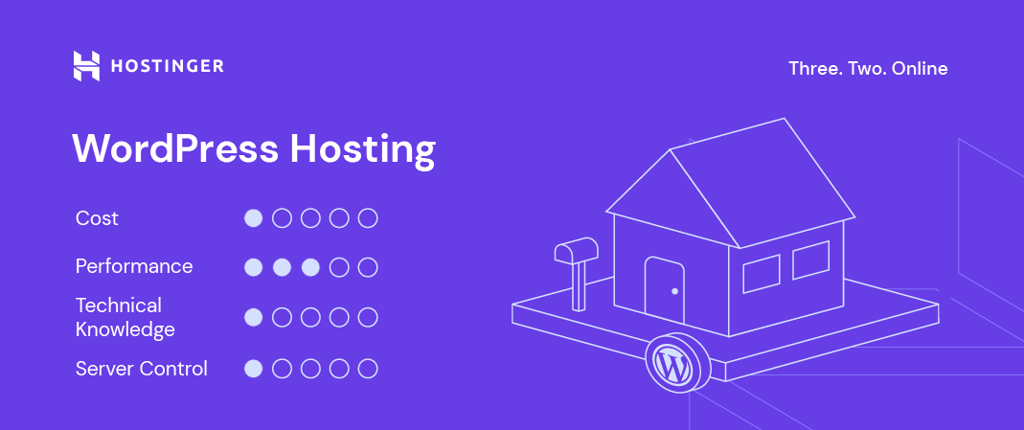
Hostinger’s Managed hosting for WordPress runs on the company’s web and cloud hosting plans, with WordPress-specific tooling layered on top: a staging tool, caching, automatic updates, built-in security tools, and AI tools accessible directly from hPanel. Storage, RAM, and CPU match whichever underlying plan you choose.
The natural point to choose this over the Website Builder is once you need something the builder doesn’t offer: a specific WordPress plugin, a theme from the WordPress ecosystem, or just the flexibility that comes with WordPress being open and extendable in ways a proprietary builder isn’t.
The AI tools themselves aren’t available on every tier. The WordPress AI Troubleshooter, AI Content Creator, and AI Website Optimizations are included on Business and Cloud plans, but not on Premium, and the staging tool follows the same pattern, available on Business and higher only.
Hostinger managed WooCommerce hosting
Hostinger’s managed WooCommerce hosting has two tiers, Business + AI and Cloud Startup + AI, with WooCommerce pre-installed and a set of store-specific tools layered on top.
The product offers one-click WooCommerce setup, multiple payment solutions, local and global shipping, free automatic store migration, and the same staging tool and daily backups that Business and Cloud Startup plans already include.
There’s no per-tier product limit to plan around here, which is worth knowing if you’re still weighing ecommerce hosting options broadly and haven’t settled on WooCommerce specifically yet.
Business + AI suits basic WooCommerce stores just starting, while Cloud Startup + AI suits stores that need the extra CPU, RAM, and priority support Cloud Startup provides. Beyond that, a growing store can move onto Hostinger’s broader cloud hosting tiers, since the underlying infrastructure is the same either way.
Hostinger cloud hosting
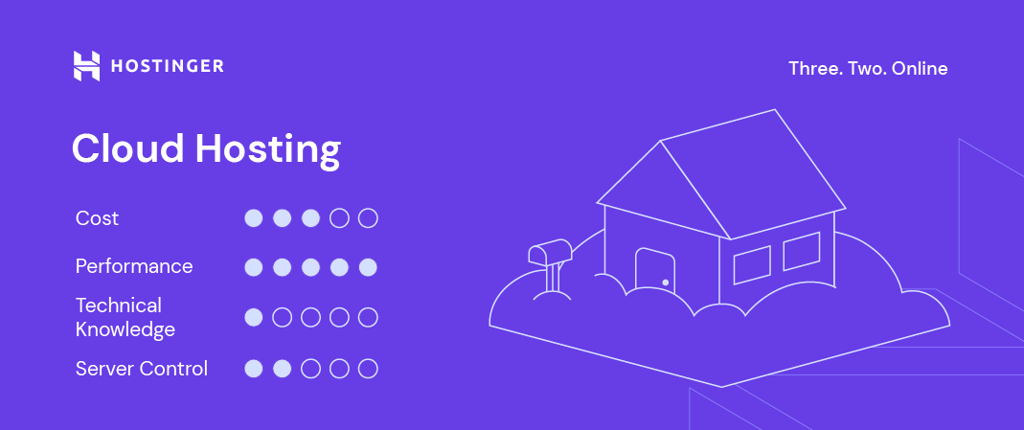
Cloud hosting suits growing websites, sudden traffic spikes, larger online stores, and resource-heavy projects that have outgrown shared web hosting but don’t need the technical overhead of a VPS.
It’s fully managed on Hostinger’s end and built to scale as your site grows, without you having to migrate to a new plan type. The lineup runs three tiers – Cloud Startup, Cloud Professional, and Cloud Enterprise – each stepping up in CPU, RAM, and NVMe storage as your project demands more.
Every tier includes up to 100 websites, a dedicated IP address, priority support, a free CDN, and daily backups.
Hostinger VPS hosting
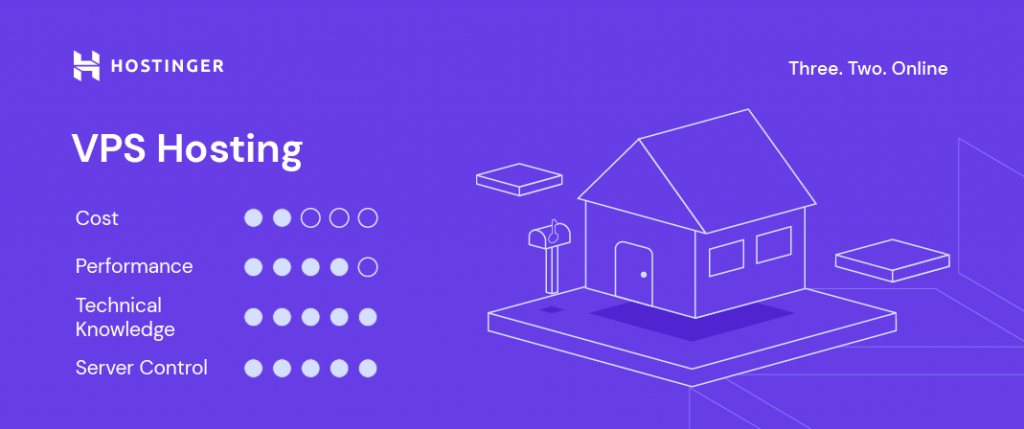
VPS hosting on Hostinger suits advanced users who need root access and full server control, whether that’s for a custom application, a development environment, or a server you’d rather manage yourself end-to-end.
That level of control is the whole point: you’re free to configure the server exactly as a project needs it, without the restrictions a managed plan imposes.
The lineup includes four KVM plans, each with 1 to 8 vCPU cores, 4 to 32 GB of RAM, and 50 to 400 GB of NVMe storage. Each tier scales resources up cleanly, so you can start where your project needs it and upgrade without migrating to a different product.
It does mean you’re the one handling updates and security patches rather than Hostinger, so beginners who’d rather not touch server administration are usually better served by managed WordPress or cloud hosting, at least until a project specifically calls for root access.
Hostinger game hosting
Hostinger’s game hosting is built specifically for running your own multiplayer game server, with dedicated resources and root access included so you can install mods and plugins without the restrictions a shared environment would impose.
It supports over 100 games, including Minecraft, Counter-Strike 2, Palworld, and Valheim, with one-click installation and full root access to customize server settings as needed.
Every plan includes DDoS protection, free weekly backups, and mod support, with servers located across Asia, Europe, North America, and South America.
The lineup includes four Game Panel plans, ranging from 1 to 8 vCPU cores, 4 to 32 GB of RAM, and 50 to 400 GB of NVMe storage, so you can start small and scale up as your community grows.
How to choose the best Hostinger plan for your website
Match your project to a starting point:
| If your project is… | Choose… |
| A no-code website or portfolio | Website Builder |
| A beginner site or smaller project | Premium web hosting |
| A growing business website needing backups and more resources | Business web hosting |
| A site outgrowing shared hosting | Cloud Startup |
| Built on WordPress | WordPress hosting |
| A WordPress-based online store | WooCommerce hosting |
| An AI-built website or web app | Horizons |
| A project needing root access and custom server control | VPS hosting |
| A multiplayer game server | Game hosting |
When should you upgrade your hosting plan?
A handful of signs tend to show up before a plan officially runs out of room, and most of them are easy to miss if you’re not looking for them.
- Traffic increases. If your visitor numbers are climbing month over month, your current plan’s resources are being split across more people than they were built for. Performance is usually the first thing to suffer.
- Pages load slowly. A site that used to feel snappy and now drags is often a resource problem, not a code problem. Worth checking your plan’s limits before assuming something’s broken.
- You reach your CPU, RAM, inode, or storage limits. These caps exist precisely so one site can’t monopolize shared resources. Hitting them regularly is as direct a signal as you’ll get that it’s time to move up.
- Your site adds ecommerce features. The moment a site starts processing payments and managing inventory, it needs resources that a basic content site never had to account for.
- Your site adds memberships, bookings, or media-heavy content. Each of these adds database load or storage demand that a starter plan usually wasn’t sized for.
- You need a staging environment. Testing changes on a copy of your live site before pushing them out to the real site isn’t available on every tier. It becomes worth having the moment a mistake in production would actually cost you something.
- You need daily backups. If your site changes often enough that losing a week of data would hurt, weekly backups are no longer enough.
- You need a dedicated IP address. Certain SSL setups, compliance requirements, and specific email configurations require an IP address that isn’t shared with other sites.
- You need priority support. When downtime has real business consequences, waiting in a general support queue isn’t really an option anymore.
- You need root access. Once a project calls for software or configuration that a managed plan doesn’t allow, VPS becomes less of an upgrade and more of a requirement.
Upgrading a Hostinger plan happens directly through hPanel, without needing to manually move your site.
What to do after choosing a web hosting plan
Once you’ve picked a plan, a few practical steps will get your site actually live. Each one gets fuller treatment in our guide on how to host a website if you want to follow along step by step:
- Register or connect your domain name.
- Set up SSL so the site loads securely from day one.
- Build or upload your website.
- Configure email, if your project needs it.
- Test everything before you publish.
If you’re moving files from an existing site rather than building from scratch, you can upload your website directly to the new plan. Switching from another host entirely is a different process, and you can transfer web hosting to bring your existing site over without rebuilding it.


Hasna is passionate about tech, culture, and the written word. She hopes to create content that helps people succeed on the web. When not writing, rearranging, or polishing sentences, she enjoys live music and overanalyzing movies.

As VP of Product at Hostinger, Saulius oversees Web Hosting Platform & Tools, Managed WordPress, and WebPro Experience. Saulius enjoys observing users through their daily life activities, looking for problems to solve, and building products that make users more efficient online, help them spend more time on the things they love, and leave all the rest for technology to solve. Follow him on LinkedIn.